Sign in
Use your @stelix.tech email and password.
Add a recovery email
If you forget your password, the reset link is sent here. Use a personal address, such as Gmail.
Set up on your device
iPhone, iPad, Mac
Download the profile, then open Settings and install it. Enter your password when asked.
Download Apple Mail profileOutlook and Thunderbird
Add an account with your full email and password. The settings fill in on their own.
Android (Gmail)
- Gmail, profile picture, Add another account, Other.
- Type your full email, choose Personal (IMAP), enter your password.
- If it asks for a server, use the settings below.
Server settings
- Username
name@stelix.tech- Incoming (IMAP)
mail.stelix.tech993, SSL- Outgoing (SMTP)
mail.stelix.tech465, SSL
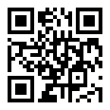
Scan with your phone camera to open this page on your phone.
Bookmark this page. Use it every time you sign in or set up email on a new phone.